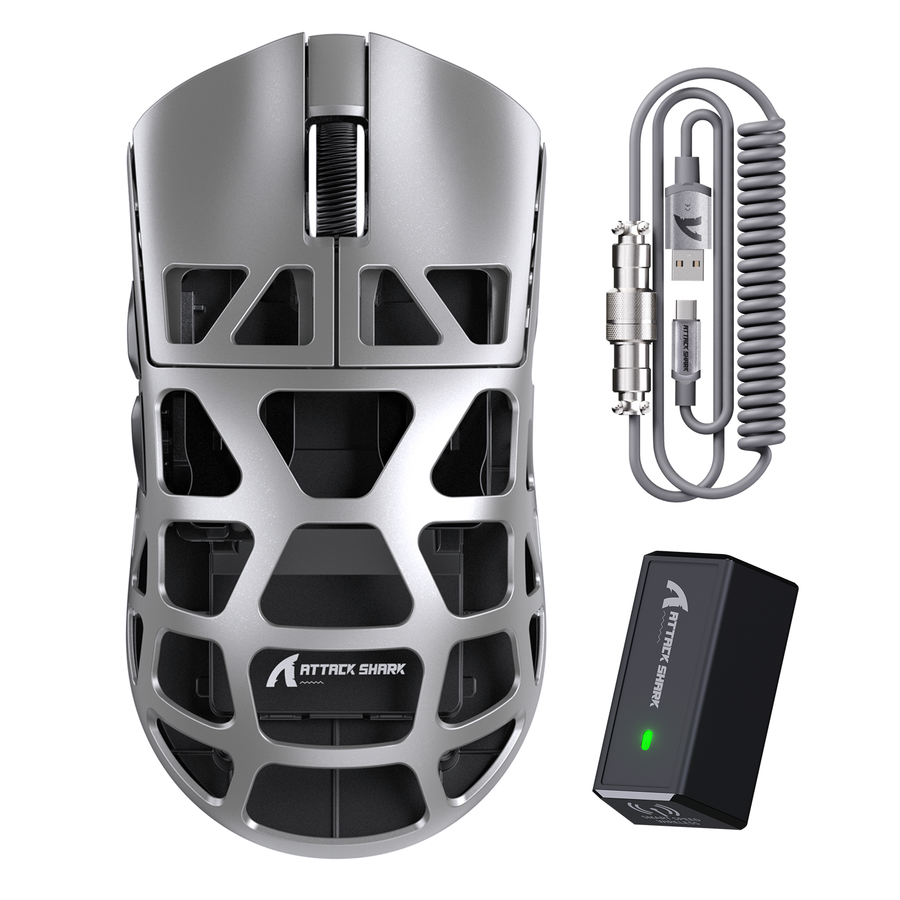

The best gaming mouse color is the one that passes a fit check first. Blue, white, and green can all work, but the mouse's shape, size, button reach, and grip feel have to suit your hand. Once a model passes that test, color becomes a practical choice: a blue gaming mouse can coordinate with your setup or add contrast, white suits a light desk or stands out against a dark one, and green adds a distinctive accent. Use this guide to check fit, match your desk, compare ownership factors, plan care for a white shell, and confirm your choice before checkout.

Check Fit Before Choosing a Color
Start with the model's documented dimensions and controls, then check its shape and placement against your hand.

Check Shape, Size, and Grip Feel
- Compare the listed dimensions and weight with your hand size and preferred grip style: palm, claw, or fingertip.
- Before comparing colors, make sure the shell doesn't feel cramped, oversized, or awkward. OSHA guidance on selecting a pointing device recommends checking a mouse's size, shape, fit, and feel before you buy.
Confirm Controls and Neutral Placement
- Check the documented button count, side-button reach, and control layout against how you click and move your thumb.
- Keep the mouse close to and level with the keyboard so your wrist can stay neutral instead of bending upward or twisting. For more on grip styles and sensor choices, see our guide to choosing a mouse by grip and sensor.
Once a mouse passes these checks, choose blue for a coordinated or contrasting accent, white for a light look or strong contrast against a dark desk, or green for an established or deliberately different accent.
Match Blue, White, or Green to Your Desk Setup
Your desk surface, lighting, and existing accents determine whether a color blends in or stands out. Check the visual fit in your own space before choosing a shade.
Light or White Desk
White creates a coordinated look on a light desk and pairs cleanly with a pale mat or stand. Blue or green can add intentional contrast. Check the exact shade under your setup's lighting before ordering, because product photos can change how a color appears.
Dark or Visually Busy Desk
White usually stands out against a dark surface. Blue or green may blend in or pop depending on the shade, mouse pad, and room lighting, so check the mouse and pad together before deciding.
RGB and Accent-Led Setup
If your setup already uses blue or green RGB lighting, match the shell to that shade only after checking real product photos, not just the color name. Listings don't document how every unit's lighting behaves, so treat shell color and lighting as separate choices. Confirm lighting details on the product page.
Compare Blue, White, and Green on Practical Ownership Factors
Once fit is settled, these colors mainly differ in how they coordinate with your setup and how clearly they show wear, not in gaming performance.
| Color | Best visual use | Ownership check |
|---|---|---|
| Blue | Coordinated or contrasting accent | Confirm the exact shade in product photos; color alone doesn't indicate durability |
| White | Light coordinated look or dark-desk contrast | Dust and grime may be easier to notice; check the exact care instructions |
| Green | Established or distinctive accent | Verify the exact shade, finish, and model details before ordering |
Choose a blue gaming mouse if you want an accent that can blend with blue-toned lighting or stand out on a neutral desk. Choose white for a light setup or strong contrast against a dark desk if you're comfortable wiping visible marks from time to time. Choose green if it already fits your setup or you want a distinctive look, after confirming the shade in the current listing.
Plan White Gaming Mouse Cleaning and Care
White may make dust, grime, and discoloration easier to see than on many darker shells. That is a visibility difference, not proof that white is harder to clean or less durable. Plan routine care, and check your model's exact instructions before cleaning.
- Inspect the shell in good light so you can catch marks before they set in.
- Find the exact model's care instructions and use only an approved method. Our mouse surface maintenance guide explains coatings, shell materials, and cleaning methods you can compare with your model.
- Follow that approved method exactly. Don't improvise with unverified chemicals, solvents, or excess moisture.
- If your model has no clear care guidance, pause and contact official support before cleaning. Our safe gaming gear care guide explains how to avoid material damage during routine sanitizing.
- If the finish changes color, texture, or shine after cleaning, stop using that method immediately and reassess.
Run the Final Fit-and-Care Check Before Adding to Cart
Before checkout, use this short checklist to apply the guidance above.
- Confirm fit: Make sure the shape, size, button reach, and documented dimensions match your hand and grip.
- Confirm placement: Keep the mouse close to and level with the keyboard, and avoid gripping it tightly for long stretches. Follow the Mouse Ergonomics guidance on positioning and grip.
- Choose the color for your setup: Pick blue for a coordinated or contrasting accent, white for a light look or dark-desk contrast, or green for an established or distinctive accent.
- Accept the upkeep: Be ready for the care your choice requires, especially with white, and confirm the model's exact instructions.
- Verify the listing: Check the exact color selector and current product page, then add the confirmed colorway to your cart.
Our white gaming mouse listing confirms white, black, and gray color options. It lists the mouse at 46 g and 119 × 61 × 36 mm. Our white gaming mouse with dock also confirms white, black, and red, with a 49 g mouse and charging dock included. Neither listing confirms a blue or green option. If you want a blue gaming mouse or green model, check a product page that documents that color before adding it to your cart.
FAQs
Does Mouse Color Matter for Gaming?
No. Nothing here supports a gaming-performance advantage for blue, white, or green. Treat color as a preference and ownership choice only after the mouse passes the fit and specification checks.
Are White Gaming Mice Harder to Keep Clean?
White is a visual choice, not a proven cleaning disadvantage. Before cleaning, check the exact model's care instructions and follow them; choose white when its look fits your desk and routine upkeep is acceptable.
What Color Gaming Mouse Fits a White Setup?
White creates a coordinated, low-contrast look on a light desk. Blue or green can work as a deliberate accent or contrast instead. Check the exact shade under your lighting before buying.
How Should Finish and Visibility Affect the Choice?
Consider how clearly routine marks will show, how the shade looks under your desk lighting and against your mouse pad, and whether the care instructions fit your routine. Don't use color alone to judge durability or cleaning safety.