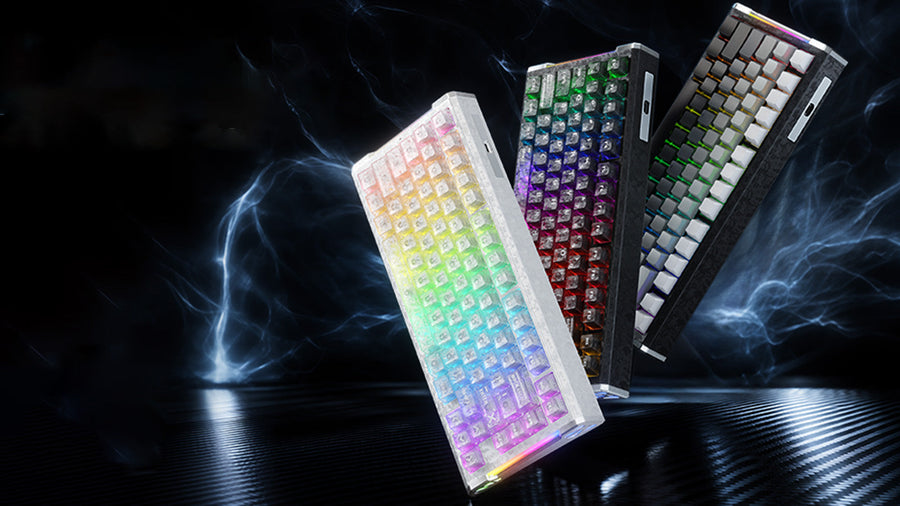
No, an 8,000Hz keyboard with magnetic keyboard switches does not require a coiled or aviation-style cable by design. What matters is whether the complete cable assembly, from data pins to power pins, meets the keyboard's documented connector, power, and length requirements. A plain straight cable that meets those specs performs the same job as any specialty cable, while a premium-looking coil or aviation plug that skips those specs can still cause dropouts.

Do 8K Polling Keyboards Require a Specialized Cable?
A compatible standard or custom cable can support a Hall Effect magnetic keyboard as long as its complete assembly preserves the required data signaling and power delivery. There is no rule tying polling rate to cable shape.
The controlling check is always the keyboard's own connector arrangement and documented requirements, not the cable's outer style. A coiled jacket or aviation plug can be part of a fully compatible setup, but neither one certifies compatibility on its own. Without the exact keyboard and cable specifications in hand, no cable listing can be guaranteed to work, which is why the verification steps below matter more than the format a cable comes in.
What 8K Polling Changes—and What It Does Not
An 8,000Hz label describes how often the host services the keyboard's input endpoint. It says nothing about the cable's outer format, power draw, connector type, or maximum practical length.
Polling Rate Is Not a Cable Category
The HID specification treats keyboard input as data delivered through an interrupt pipe at a set polling interval, which is a scheduling behavior between the host and the device, not a cable spec. Faster polling changes how often that pipe is serviced, not what the cable in between is built from. Under the HID class specification, that interrupt-pipe behavior is defined independently of any specific cable construction.
What Still Needs Verification
Regardless of polling rate, four cable properties still need confirmation before you trust a custom cable with magnetic keyboard switches:
- Data signaling capability: the cable must carry the USB data pair cleanly enough to avoid dropped or corrupted packets.
- Power-path margin: resistance and wire gauge in the power pair affect how much voltage the keyboard actually receives.
- Connector and keyboard fit: the plug, port, and any detachable joint must physically and electrically match the keyboard.
- Length and mechanical condition: the run must stay within its rated length and avoid damage at bend points or terminations.
Which Cable Properties Matter at 8K?
The specification that determines reliability is the complete cable assembly, not the marketing label on the box. USB-IF testing for cable assemblies covers signal characteristics, power delivery, and physical construction as separate, verifiable categories.
Data and Power Characteristics
- Signal-pair construction: the USB cable assembly requirements call for controlled impedance and bounded attenuation, propagation delay, and skew on the data pair, so a poorly built pair can cause dropped input even at lower polling rates.
- Power-pair voltage drop: the same class document specifies a maximum voltage drop across the power pair at a defined current, so thin wire or a long harness can starve the keyboard of stable power even when the data path is fine. A recent explainer on wired signal integrity walks through how shielding and cable physics affect stability at high polling rates.
Length, Connectors, and Mechanical Construction
- Stated length limit: staying within the cable's rated length keeps attenuation and voltage drop inside tested bounds; adding an extension or exceeding that length removes that margin.
- Connector continuity: contacts must seat fully and stay seated under normal desk movement, since a loose or worn contact can intermittently break the circuit.
- Detachable joints as extra interfaces: any aviation plug, hub, or splitter adds a mating point that must be checked on its own, separate from the rest of the cable.
Coiled vs. Straight Cables: What Actually Changes?
Coiling itself does not make a cable more or less reliable at 8K; the coil is a physical shape, not a data or power spec. What changes is how much length, stretch, and mechanical load the assembly carries once it is coiled and installed.
| Format | What is known | Main variable | Best use | Decision result |
|---|---|---|---|---|
| Direct/straight | Shortest practical path, fewest joints | Total length only | Troubleshooting, minimizing variables | Best default baseline |
| Coiled | Same electrical requirements apply, plus a working stretch length | Stretch tension and rated length | Desk layouts needing slack without cable clutter | Fine if documented and not overstretched |
A coiled cable is a reasonable choice when the seller documents its complete assembly and the setup stays stable at your keyboard's polling setting, without stretching the coil tight or exceeding its stated length. A straight or direct cable remains the better choice when you are actively diagnosing a disconnect and want to remove as many variables as possible.
Are Aviation-Style Connectors Compatible with 8K Keyboards?
An aviation connector is an added mating interface, not proof that a cable works with your 8K keyboard. Compatibility still depends on matching the keyboard-side receptacle, the connector pinout, and the rest of the cable assembly.
The Added Compatibility Points
- Keyboard-side receptacle: the keyboard must physically accept the aviation plug's shape and pin arrangement.
- Aviation connector pinout: pins must align with the keyboard's expected data and power layout, not just the physical socket.
- Both Type-C ends: each Type-C connection at the hub and keyboard must seat fully and carry the correct signal and power lines.
- Continuity and seating under normal movement: the joint should stay connected through everyday desk use, not just when first plugged in.
Where the C08 Fits
Our C08 aviation cable is built with a 4-pin steel aviation plug, dual Type-C ports, and a pure-copper wire core, with a stated length of about 63 to 63.8 inches and up to 86.6 inches at maximum stretch. We designed it for keyboards that already use a compatible detachable aviation connection, and we recommend confirming your keyboard's own connector arrangement before treating it as a drop-in fit. If your keyboard connects directly and reliably without an aviation joint, there is no reliability reason to add one.
How to Troubleshoot Intermittent Disconnects
Start with a short, direct connection before touching polling settings or buying a new cable. That baseline tells you whether the keyboard itself, the host port, or the custom cable assembly is responsible.
Use This Diagnostic Order
- Connect the keyboard directly to the same host port using its shortest available cable and confirm stable operation at your intended polling setting.
- Keep the keyboard configuration and polling rate unchanged while you test, so you are only changing the cable path.
- Remove any hub, extension, or aviation joint and test that the direct link alone stays stable.
- Reintroduce the coiled section or aviation joint by itself, checking connector seating at each end.
- If the disconnect returns only when the custom section is installed, treat that assembly as the suspect part.
Read the Result
If the keyboard disconnects only with the custom cable installed, that assembly, not the polling rate or the keyboard, is the first thing to replace or verify. Excess resistance from a long or thin power path can quietly reduce the operating voltage the keyboard actually receives, which lines up with USB voltage-drop context on power-path reliability. If the keyboard still disconnects even on the direct baseline, the cable has not been isolated as the cause, and the keyboard, port, or host software deserves attention first.
What to Verify Before Buying a Custom Cable
Buy or recommend a coiled or aviation cable only when all of the following are true; treat any one failure as a reason to hold off or choose a returnable option.
- Pass: the target keyboard's connector arrangement and stated requirements match the cable's documentation.
- Pass: the listing provides usable data, power, length, and connector information, not just marketing terms.
- Pass: you can test the cable against a known-good direct connection, or the seller offers a workable return path.
- Fail: the listing relies only on terms like "8K-ready," "pure copper," "coiled," or "aviation" without fit and assembly evidence.
If a listing fails that check, keep your current known-good direct connection until better documentation is available.
FAQs
Does 8K Polling by Itself Mean the Keyboard Needs More Power?
Not by itself. The HID specification defines polling as how often the host services the input endpoint, which is separate from the keyboard's actual current draw. The keyboard maker's documented power requirement, not the 8K label, tells you what to check before assuming a higher current need.
How Does Cable Length Affect Signal Integrity at 8K?
Stay within the cable's stated length and avoid unnecessary extensions or tight mechanical loading at the connectors. USB-IF testing evaluates attenuation, propagation delay, and voltage drop together, so length is one input among several, not the only variable that can cause instability. If a longer or stretched cable becomes unreliable, compare it against a short direct cable before assuming length alone is the cause.
Does a USB-C Cable Automatically Support an 8K Magnetic Keyboard?
No. USB-C describes a connector shape, not a guarantee of the cable's internal data pair, power pair, or pinout quality. When powering rapid-trigger magnetic keyboard switches, match the cable listing against your keyboard's manual and test the complete setup rather than assuming the USB-C label alone proves compatibility.
Will Any 4-Pin Aviation Cable Fit an 8K Keyboard?
No. The keyboard's receptacle, the aviation connector's pinout, both Type-C ends, and overall continuity all need to match for the connection to work reliably. If your keyboard runs stable on a direct USB connection but disconnects through an aviation cable, stop relying on that cable until the fit is verified or the assembly is replaced.